 |
Setting-up Buy Now buttons
- You must have a PayPal account.
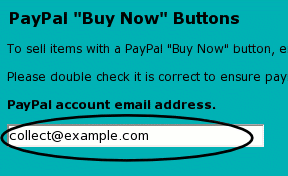
- Store the email address of your PayPal account by signing-in to CollectFair and following the PayPal link from My CollectFair.
- Go through the normal process for creating your page on CollectFair.
- In the screen called "Create your page" in which you type the text of your page, click "Advanced Tasks".
- Below each picture on your page you will find spaces to enter the item's price, postage cost and the quantity available.

- Save the page as normal, and PayPal Buy Now buttons will appear.
Stocklists
If you have large amounts of items to list, you can use our Stocklist page layout. Each item of stock can have a Buy Now button.
EU and International postage
It is assumed that the postage rate entered for each item is the UK postage rate. Sellers can store postage 'multipliers' by which the UK postage values can be scaled up for EU and International buyers.
While this isn't as exact as finding the cost for each item for each country it might go to, with careful choice of the multipliers it gives reasonable values with no additional work
To enter your postage 'multipliers' for EU and International sales, sign-in, and follow the PayPal link from My CollectFair.
Further help & troubleshooting
CollectFair will work with any level of PayPal account, including the basic Personal accounts. However, you may find it helpful to choose the Premier or Business PayPal account, since this allows people to pay you by credit card. International sales are fully supported (PayPal covers over 55 countries) but CollectFair currently supports items priced in UK pounds (£) only. The buttons have been tested with the UK PayPal site. If your Buy Now button doesn't appear, or appears with a red cross when previewing your page, please double check your PayPal account email address on the Personal Details page. Always check your PayPal account to ensure you have received the money before posting items you have sold.
See also: Introduction to Buy Now buttons
|
|




